

Trusted Business Solutions | Arcserve SaaS Backup
Arcserve SaaS Backup for Microsoft 365: Make Sure Your Data Is Protected
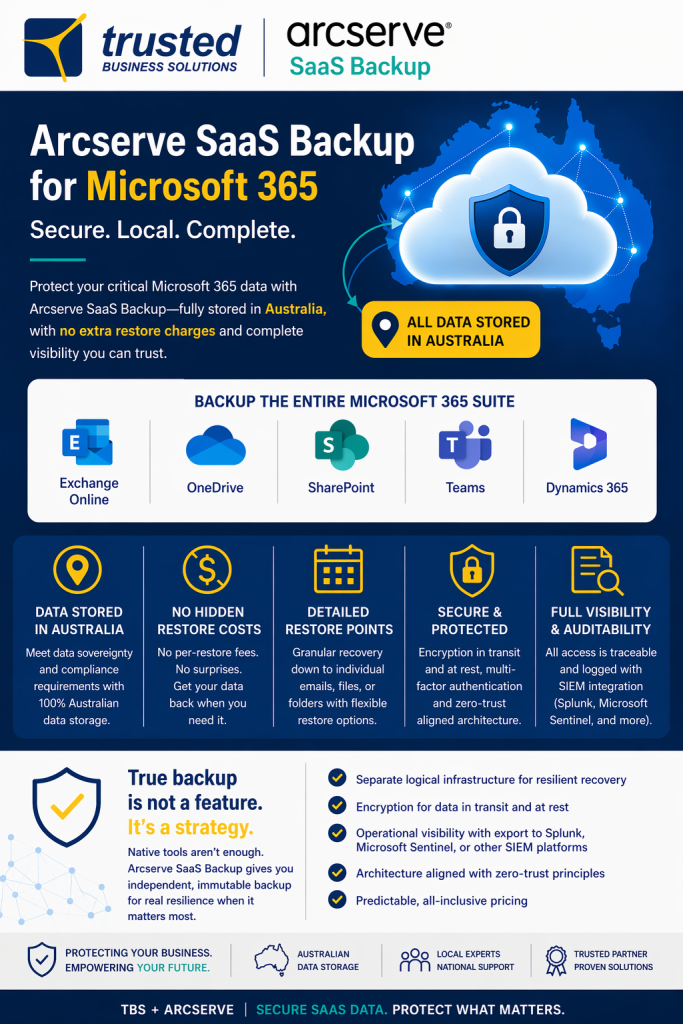
Protect your critical Microsoft 365 information with secure, independent cloud backup and flexible recovery capabilities.
Trusted Business Solutions deploys and manages Arcserve SaaS Backup to help protect your business against accidental deletion, malicious activity, ransomware-related data loss and unexpected disruptions.
- Australian Data Storage
- Independent Backup Infrastructure
- Granular Data Recovery
- Managed by TBS
Microsoft 365 Is Not a Complete Backup Strategy
Microsoft provides a resilient cloud platform, but businesses still need to plan how their critical information will be protected and recovered.
Native retention, recycle bins and recovery features can be useful, but they may not meet every business continuity or long-term recovery requirement.
An independent backup provides another layer of protection when important information is deleted, corrupted or otherwise unavailable.
- Accidental deletion of emails or documents
- Malicious or unauthorised data removal
- Ransomware and account compromise
- Changes to retention or access policies
- Business continuity and audit requirements
Your Data. Your Responsibility.
Your organisation relies on Microsoft 365 every day.
Could your business recover critical emails, files and SharePoint information if something went wrong?
We can review your current protection arrangements and recommend suitable backup coverage.
Protect Your Critical Microsoft 365 Data
Arcserve SaaS Backup supports protection for key cloud applications used throughout modern businesses.
01
Exchange Online
Protect business emails, mailbox content and important communications.
02
OneDrive
Back up business files and documents stored in users’ OneDrive accounts.
03
SharePoint Online
Protect documents and information stored across your SharePoint sites.
04
Microsoft Teams
Protect supported Teams content and associated collaboration data.
05
Dynamics 365
Discuss available backup options for supported Dynamics 365 workloads.
06
Business Recovery
Recover supported items and datasets using available restore options.
Exact application coverage, protected data types and restore options depend on the selected Arcserve workload and licensing.
Why Choose Arcserve SaaS Backup?
Designed for organisations that need independent, secure and manageable cloud data protection.
01
Independent Cloud Backup
Backup data is stored on dedicated infrastructure separate from your primary Microsoft 365 environment.
02
Australian Data Residency
Choose the Australian backup region to keep protected backup data within Australia.
03
Immutable Backup Architecture
Tamper-resistant storage design helps protect backup information against unauthorised modification.
04
Granular Recovery
Find and restore supported individual items without always restoring entire datasets.
05
Predictable Pricing
Backup and storage are included within the applicable service licensing model.
06
Security & Auditability
Encryption, access controls and activity logging support secure backup management.
Keep Your Backup Data in Australia
Data residency is an important consideration for many Australian businesses, particularly those with contractual, governance or regulatory obligations.
Arcserve offers a dedicated Australian data region. When that region is selected, backup data is stored within the chosen region under the platform’s regional residency model.
- Australian backup region available
- Independent cloud infrastructure
- Regional data storage controls
- Redundant data centre architecture
- Suitable for data sovereignty planning
Australian Data Protection
Your backup location should be a deliberate decision, not an assumption.
We help configure your Arcserve service for the appropriate Australian region.
Data residency alone does not guarantee compliance with every applicable regulation.
Recover What You Need, When You Need It
A backup is only valuable if your business can recover the information it needs.
Arcserve SaaS Backup offers search, browsing and restore capabilities for supported workloads.
- Recover individual emails
- Restore supported files and folders
- Recover selected mailbox information
- Access available historical restore points
- Review and recover supported site content
- Reduce unnecessary full-dataset restores
No Additional Restore Fees
Arcserve’s inclusive service model avoids separate vendor restore charges for supported recovery operations.
Recover your data without unexpected vendor data retrieval charges.
Any separately agreed TBS engineering or recovery assistance charges will be explained in your service agreement.
Security-First Backup Protection
Arcserve combines dedicated infrastructure with controls designed to protect critical SaaS backup information.
01
Encryption
Backup information is protected using encryption during transfer and storage.
02
Access Protection
Secure authentication and controlled administrative access help protect backup management.
03
Delete Protection
Built-in safeguards, including delayed deletion, help reduce the risk of immediate backup loss.
04
Separate Infrastructure
Dedicated backup infrastructure reduces dependence on your primary cloud platform.
05
Audit Logging
Recorded activity supports visibility into backup administration and access.
06
Business Resilience
Independent recovery copies support a broader business continuity strategy.
Managed Arcserve Backup by Trusted Business Solutions
We do more than provide backup software licensing.
Trusted Business Solutions helps your organisation implement and manage a practical data protection solution aligned with your Microsoft 365 environment.
- Review your Microsoft 365 environment
- Identify workloads requiring protection
- Recommend suitable backup licensing
- Configure backup policies and schedules
- Set up appropriate access controls
- Monitor backup health under your service plan
- Assist with recovery requests
- Review changing protection requirements
We Are the ISP & We Are the IT
With TBS, backup can form part of your broader managed IT and cybersecurity strategy.
One accountable provider for implementation, management and support.
Our Microsoft 365 Backup Implementation Process
A structured approach to protecting the cloud data your business depends on.
01
Assessment
We review your Microsoft 365 environment and existing data protection arrangements.
02
Design
We determine suitable workloads, licensing, backup policies and data residency settings.
03
Deployment
We configure the service, connect supported workloads and verify initial backup operation.
04
Ongoing Support
We provide agreed monitoring, reporting and recovery assistance as part of your service.
Download the Arcserve SaaS Backup White Paper
Want to understand why independent SaaS backup is important for your business?
Arcserve’s technical white paper explains shared responsibility, dedicated cloud backup, data sovereignty, resilience and recovery architecture.
It’s a useful resource for business owners, IT managers and decision-makers reviewing their cloud data protection strategy.
Understand Your Backup Risks
Cloud availability and independent data recovery are not the same thing.
Learn how a separate backup environment supports stronger business resilience.
Arcserve SaaS Backup — Frequently Asked Questions
Does Microsoft 365 automatically back up all my data?
Microsoft provides several native resilience, retention and recovery capabilities, but these may not meet every organisation’s independent backup requirements. A separate backup can provide additional recovery options.
What Microsoft 365 data can Arcserve protect?
Supported protection includes Exchange Online, OneDrive, SharePoint and Teams data. Additional SaaS workloads may be available depending on the selected product and licensing.
Can my backup data be stored in Australia?
Yes. Arcserve offers an Australian backup region. We can help configure the appropriate regional storage option.
Can I restore an individual deleted email or file?
Arcserve supports granular recovery for eligible items and workloads, subject to the available restore points.
Are there extra fees for restoring data?
Arcserve’s SaaS Backup service model does not apply separate vendor restore fees for supported recovery operations. Any TBS labour or managed recovery services are governed by your service agreement.
Does Arcserve help protect against ransomware?
Independent backup copies and tamper-resistant storage can support recovery following ransomware-related data loss. No backup product can guarantee prevention of every attack or complete recovery in every scenario.
Will TBS manage the backup system for us?
Yes. We offer deployment, configuration and ongoing managed backup services, with the exact monitoring and support scope defined in your agreement.
How do we get started?
Contact Trusted Business Solutions for a review of your Microsoft 365 backup requirements and a tailored proposal.
Download the White Paper
Understand the risks, responsibilities, and best practices for SaaS data protection.
👉 Download the Arcserve SaaS Backup White Paper
SaaS Platform Data Security with Arcserve SaaS Backup – For Partners
Independent Microsoft 365 Data Protection
Don’t Wait Until Your Business Needs a Restore
Protect your Microsoft 365 data with Arcserve SaaS Backup, Australian data storage options and managed implementation from Trusted Business Solutions.